

AskAIs MCP Is Live: Generate Professional Receipts from Cursor, Claude Code, Codex, and Gemini
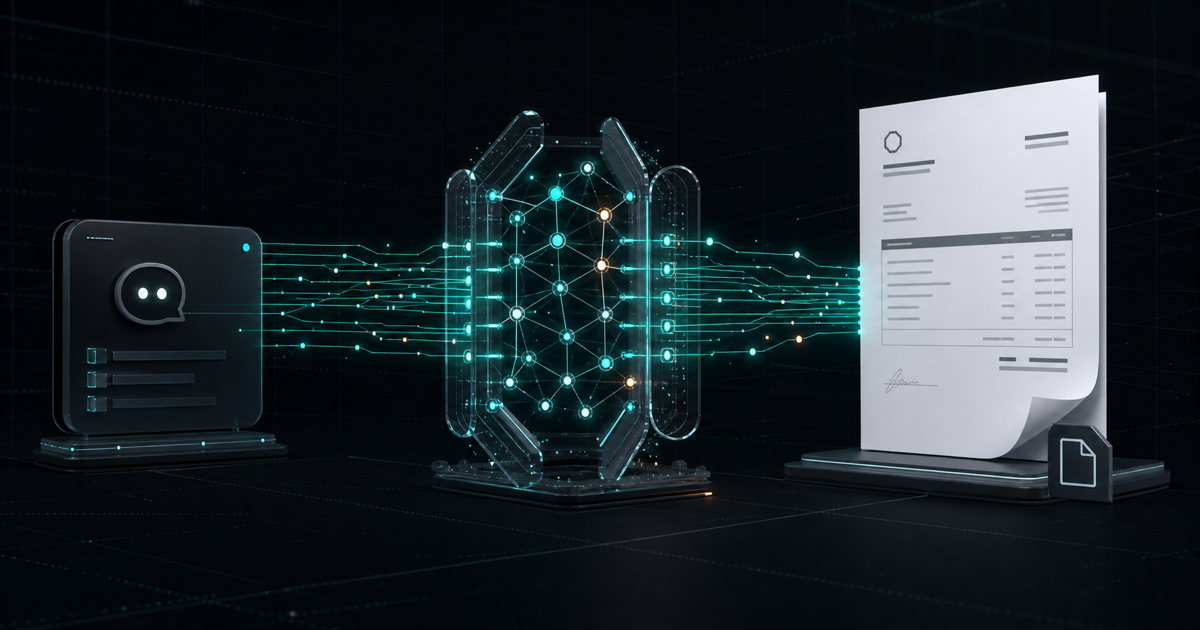
AI could already organize transaction details, calculate totals, and draft receipt text. But producing a professional PDF that can be downloaded, stored, and delivered still meant opening a website, registering, copying data into a form, and moving the result back into the original workflow.
AskAIs MCP changes that workflow. Cursor, Claude Code, Codex, Gemini CLI, and other MCP-compatible clients can now connect directly to the AskAIs AI Receipt Generator API. With the user's approval, the AI can create a trial account, generate a professional receipt, return the PDF URL, and check remaining credit without leaving the current conversation.
Connect with one endpoint:
https://askais.com/mcp
What is AskAIs MCP?
The Model Context Protocol (MCP) is an open protocol that lets AI clients discover and call external tools. Without tools, an AI can explain what to do. With MCP, it can turn a natural-language request into an authorized action against a real service.
Cursor / Claude Code / Codex / Gemini
                    ↓
        https://askais.com/mcp
                    ↓
       AskAIs MCP gateway and accounts
                    ↓
 Receipt API / PDF generation / billing
AskAIs is a remote MCP server. There is nothing to download or run locally: add the endpoint to a compatible client and select Streamable HTTP.
Why expose a receipt API through MCP?
Traditional APIs are excellent for software integration, but they still require API keys, JSON payloads, validation, and error handling. MCP adds an AI interaction layer that understands the user's intent.
Say: “Create a USD receipt for Acme Studio for two hours of design consulting at $75 per hour, paid by bank transfer.” The AI can identify the customer, line item, quantity, unit price, and currency; calculate the total; ask for missing details; confirm that the transaction is legitimate; call AskAIs; and return the PDF link and balance.
AskAIs therefore becomes more than a form-based website. It becomes a receipt capability that AI agents can discover, call, and combine with other workflows.
The four MCP tools
get_usage_rules: understand the rules first
The AI can retrieve pricing, introductory-credit terms, privacy expectations, acceptable-use rules, and links to the Terms and Privacy Policy before creating an account or receipt.
create_free_account: create an account in the conversation
A new user does not need to visit the website first. After the user explicitly accepts the Terms and Privacy Policy, the AI can create an eligible trial account and return a login email, one-time password, API key, account ID, introductory credit, and console URL.
The full password and API key are displayed only once. Save them in a password manager or the client's secret storage. Never put them in public source code, issues, shared chats, or logs. Anti-abuse controls apply to introductory accounts.
generate_receipt: generate a professional PDF
The tool accepts customer and company names, contact information, addresses, registration and receipt numbers, dates, currencies, payment methods, line items, quantities, unit prices, totals, notes, languages, and brand colors. The AI can derive these fields from natural language and ask follow-up questions when required information is missing.
On success, the tool returns a downloadable PDF URL and structured result that can continue into an archive, notification, or other authorized workflow.
get_balance: check remaining credit
The AI can report the prepaid balance and estimate how many receipts remain at the current price. Account creation and receipt generation can continue in the same MCP session; existing AskAIs developers can also use an existing API key.
A first-use flow with no prior website sign-in
- Add
https://askais.com/mcpto the AI client. - Ask the AI to read and explain the usage rules.
- Review and explicitly accept the Terms and Privacy Policy.
- Ask the AI to create an eligible trial account.
- Securely save the one-time credentials and API key.
- Describe a legitimate transaction and generate the first receipt.
“No sign-in required” means that connecting and opening an account do not require a prior visit to the website. It does not remove accounts or security controls. A real account is created and can later be managed in the developer console.
Connect Cursor, Claude Code, Codex, and Gemini
Cursor
{ "mcpServers": { "askais": { "url": "https://askais.com/mcp" } } }Claude Code
claude mcp add --transport http askais https://askais.com/mcpCodex
codex mcp add askais --url https://askais.com/mcpGemini CLI
{ "mcpServers": { "askais": { "httpUrl": "https://askais.com/mcp" } } }Depending on the client version, the configuration field may be named url, serverUrl, or httpUrl. The endpoint remains https://askais.com/mcp.
From one sentence to a downloadable receipt
Use AskAIs to create a receipt for a legitimate Acme Studio transaction: two hours of design consulting at $75 per hour, in USD, paid by bank transfer. Return the PDF link and remaining balance.
The AI converts this request into structured fields, verifies the total, and confirms legitimate use before calling the tool. Users do not need to write JSON themselves. If the customer, currency, or price is missing, the AI can ask before it generates anything.
Introductory credit and pricing
- Each successfully generated PDF receipt costs US$0.10.
- Failed generations are not charged the receipt-generation fee.
- Eligible new users may receive a one-time introductory grant, currently enough for about five receipts.
- Introductory credit is subject to duplicate-account and anti-abuse controls.
- Credit, top-ups, and API keys can be managed in the developer console.
Where does it fit?
Freelancers and independent developers can turn completed design, consulting, translation, or development work into a receipt without re-entering details.
AI coding-tool users can test receipt integrations and legitimate business workflows inside Cursor, Claude Code, or Codex without leaving the editor.
Authorized AI agents can read real transactions from an order system, CRM, or structured input, generate PDFs through AskAIs, and hand the result to an archive or notification step.
International teams can describe a transaction in one language and request a receipt in another, reducing translation and formatting work.
Security, privacy, and acceptable use
AskAIs MCP is only for real, legitimate transactions. It must not be used to fabricate purchases, expenses, tax evidence, reimbursements, warranties, or proof of payment; impersonate a merchant; or process personal or company data without authority.
Only include information necessary for the receipt. Store API keys in the MCP client's secret storage or an environment configuration—never in GitHub or a public conversation. Every receipt call requires confirmation that the transaction is legitimate and will not be used to deceive.
Frequently asked questions
Do I need to sign in to the website first?
No. Add the remote endpoint to discover its tools. Eligible users can ask the AI to create an account after accepting the Terms and Privacy Policy.
Which clients are supported?
Cursor, Claude Code, Codex, Gemini CLI, and other clients compatible with remote MCP servers over Streamable HTTP.
Can it create fake receipts?
No. AskAIs is for legitimate transactions only and requires an explicit legitimate-use confirmation.
Moving AI from answers to completed work
We believe the next stage of AI is not only generating text and code. It is securely connecting to real tools and completing authorized work. AskAIs MCP brings natural language, accounts, the AI Receipt API, PDF generation, and prepaid billing into one workflow.
Users no longer need to copy data between multiple pages or learn an API payload just to create a receipt. Describe a legitimate transaction, and the AI can help take it from structured information to a downloadable PDF.
Read the complete AskAIs MCP guide or visit the AskAIs MCP repository on GitHub.
NEXT
Read More →